Multiverse Radio Plus
A downloadable game for Windows
Origin unknown. Signal active. Probably nothing to worry about.
Congratulations. You've discovered interdimensional broadcasting.
Normal radios pick up stations from around Earth. This one reaches considerably further.
Music nobody here has written. News from civilisations beyond every known map. Presenters calmly discussing events that would fundamentally alter our understanding of the universe.
And here's where it gets interesting.
You can describe the universe you want to listen to.
A place. A civilisation. An atmosphere. Something completely ridiculous.
Multiverse Radio uses local AI to generate a station around your description, complete with presenters, music, news, advertisements and unfolding affairs.
Keep listening, and familiar voices may return.
You can even call in.
Offline capable · One-time purchase · No subscription required
Curious? Try Multiverse Radio Free and explore three existing frequencies first.
Infinite possibilities. Questionable programming.
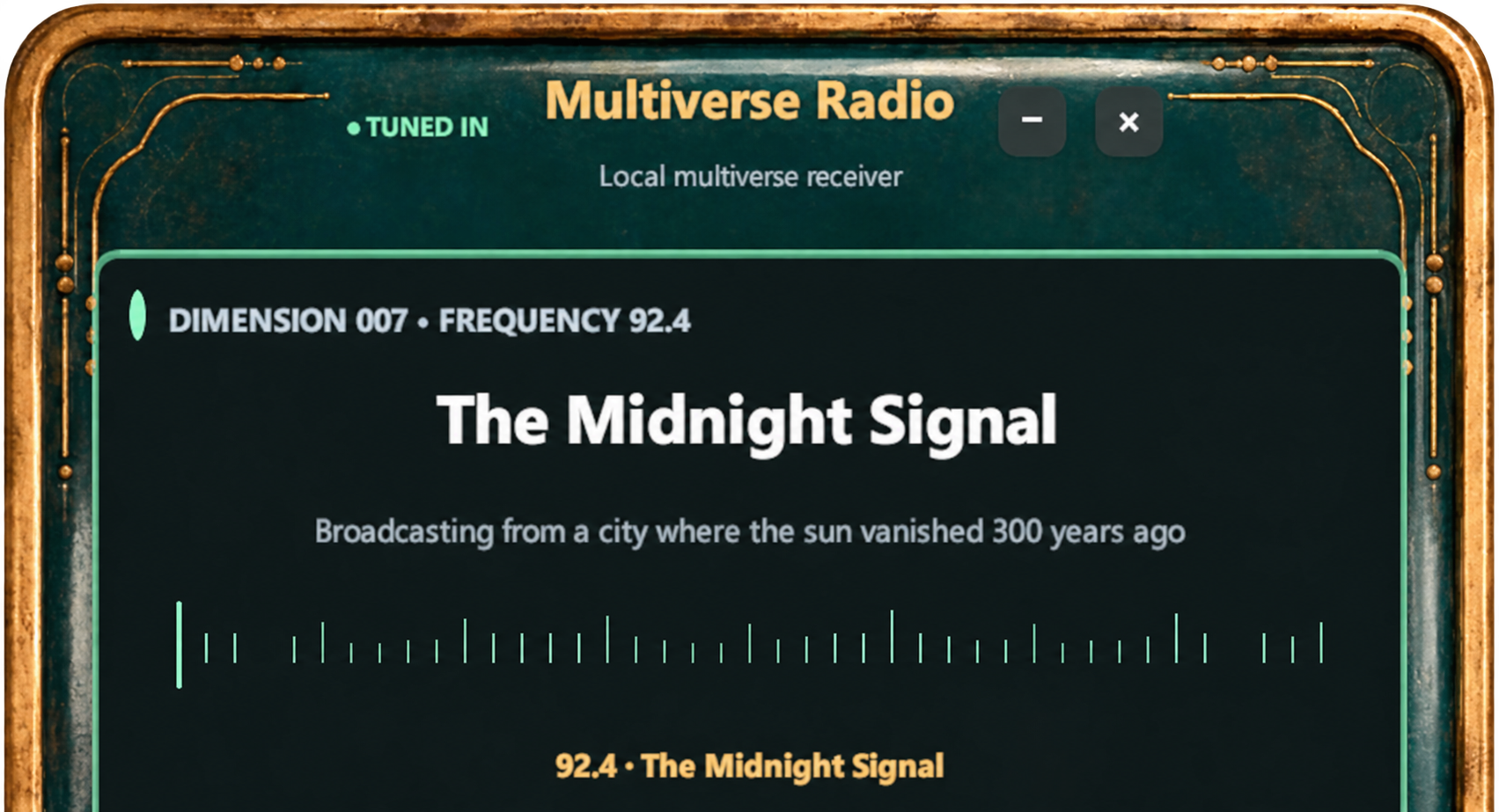
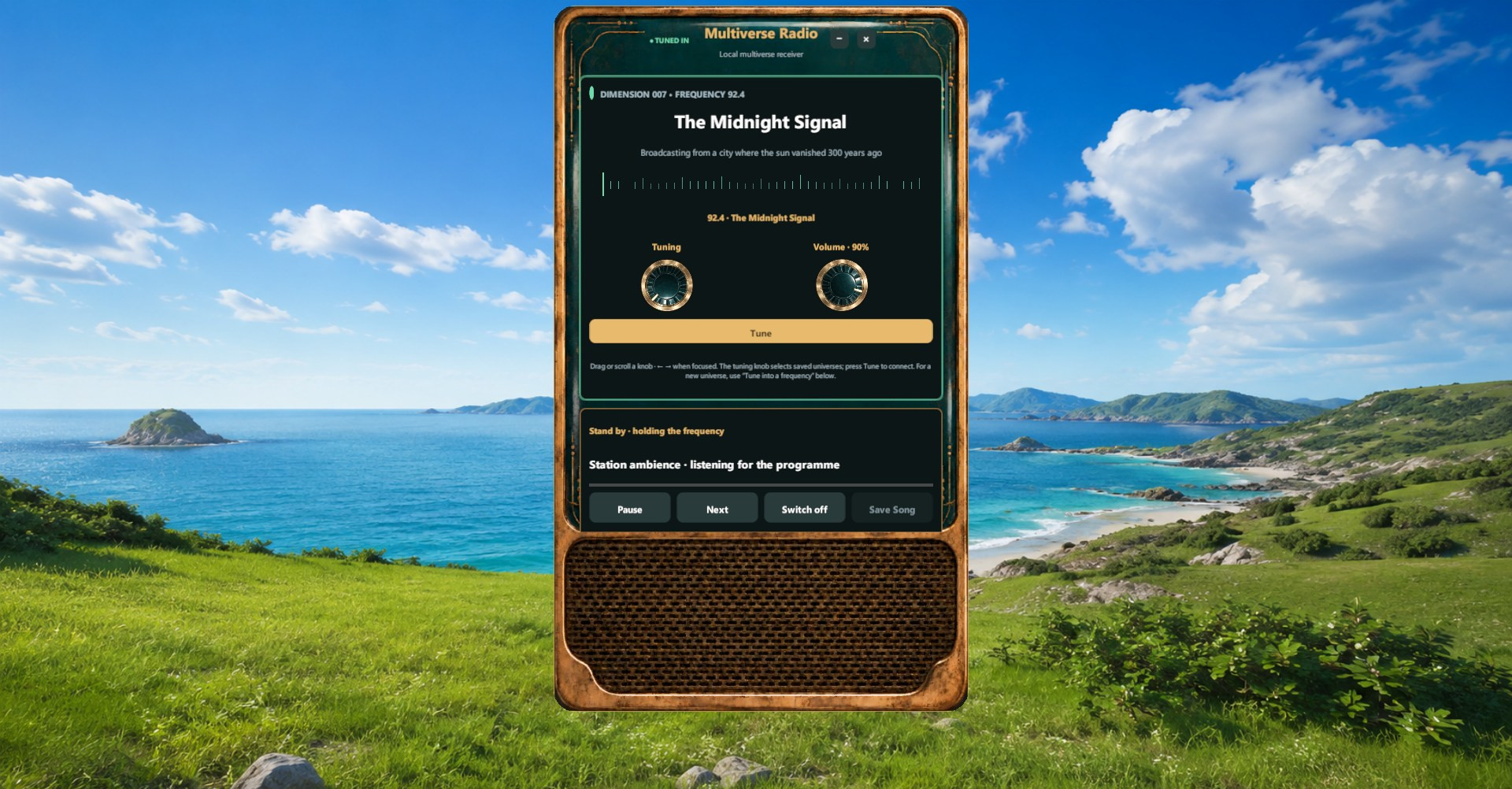
Imagine a cheerful breakfast show from a city where the sun disappeared three hundred years ago.
A pirate radio station aboard a deteriorating space hotel, where the jazz is excellent but the maintenance announcements are getting increasingly concerning.
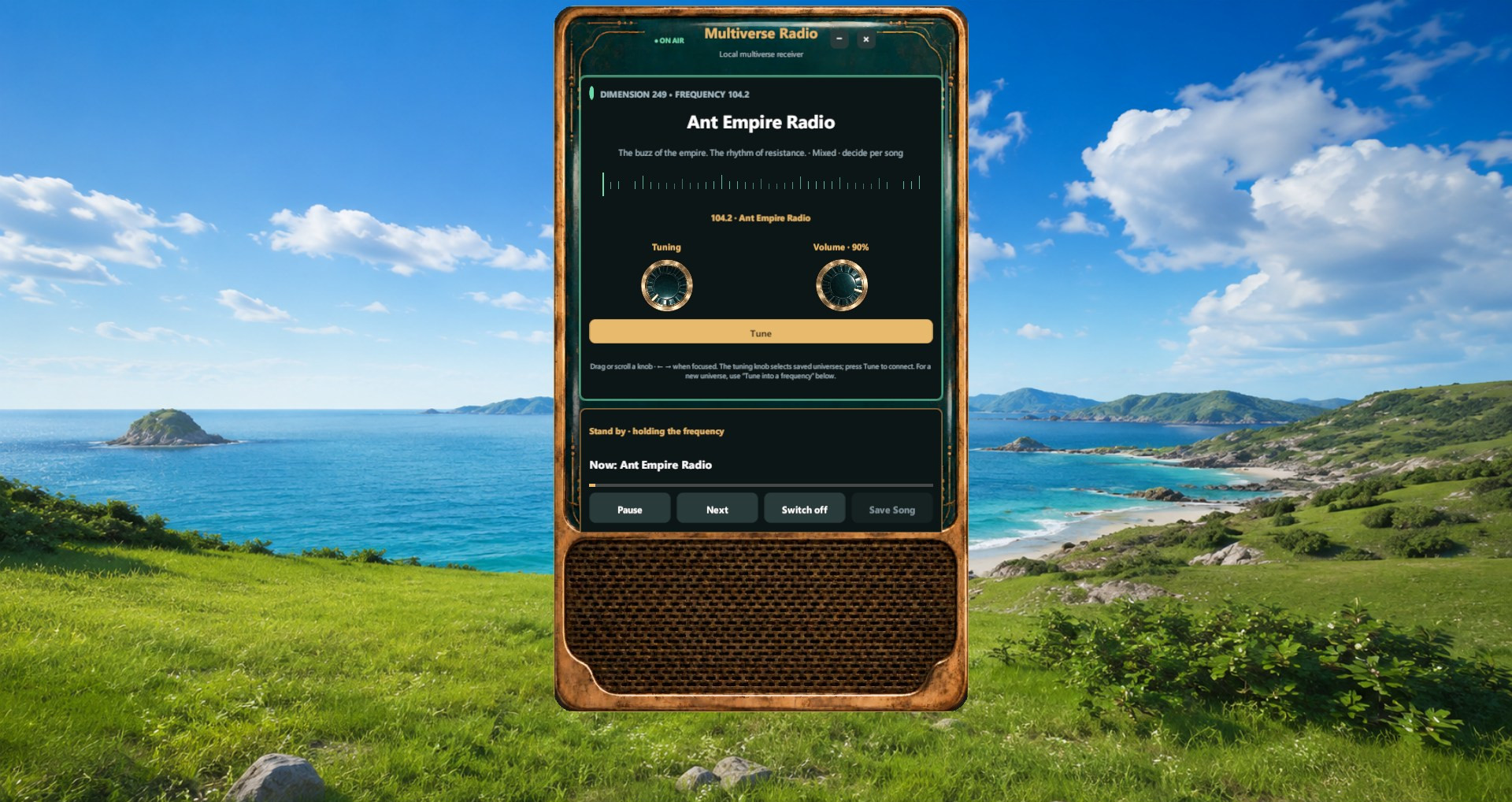
An underground insect empire broadcasting royal decrees, unusual music and heated discussions about the rising price of crumbs.
Describe any world, mood or unusual premise. The receiver creates a station around it.
The presenters have personalities. The inhabitants have opinions. Events unfold. People disagree about things. Some advertisements are probably scams.
Stations develop recorded histories, with returning characters, recurring events and references to previous broadcasts.
Some universes sound completely alien.
Others sound suspiciously like ordinary local radio.
Which might be the stranger possibility.
So, what can you do with this thing?
01 · Find your own frequencies
Describe a universe and tune into a station built around it.
Try something familiar. Try something absurd. Change the premise and see what comes through.
Choose Talkback Only for conversations and fictional callers, Music and Talk for a mixture of songs and spoken programming, or Music Only to concentrate on the station's soundtrack.
Save custom universes and return across listening sessions. Familiar presenters and events may reappear as the station's history develops.
02 · Hear music from beyond your universe
Generate original instrumental songs, vocal tracks with lyrics, or let the station decide between them.
Choose song lengths and explore different musical styles suited to your universe.
Presenters introduce songs, discuss local events and occasionally advertise products that probably wouldn't meet Earth safety standards.
It's not just a generated playlist. It's a radio station with a world around it.
03 · Make contact
Ever wanted to interrupt a radio presenter with a question?
Well, now you can. Even if they're broadcasting from somewhere you can't quite explain.
Type a message or use your microphone to ask questions, request songs or offer completely unsolicited advice.
Presenters can respond through the programme, and your actual messages may become part of the station's recorded history.
This is radio, not instant messaging. Calls and responses move through the station's preparation flow, with occasional pauses while the next transmission is generated.
Apparently even interdimensional radio studios need preparation time.
04 · Keep something from the other side
Heard a song from another universe that you genuinely like?
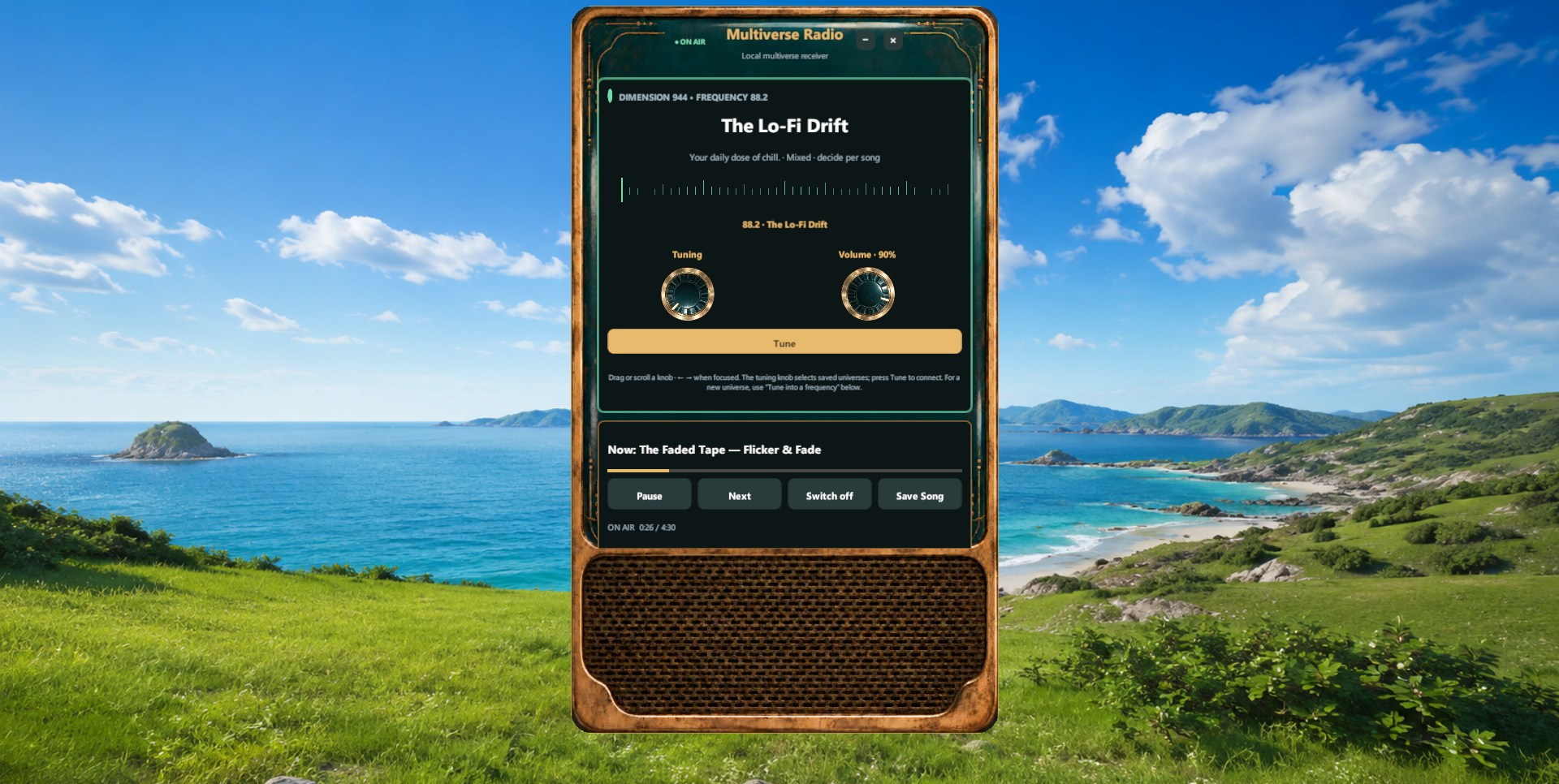
Select Save Song to export the currently playing track directly to your computer.
A small souvenir from the other side.
A receiver for your desktop.
Move Multiverse Radio wherever it suits you. Adjust the volume, switch between saved frequencies or minimize it to a compact display showing the current station and programme.
Tuning signals, a changing receiver glow and procedural melodies accompany preparation and transitions.
Explore somewhere unfamiliar. Discover its music, meet its presenters and hear what matters to its inhabitants.
Leave the receiver nearby while you work or unwind, or return whenever curiosity gets the better of you.
You don't need to constantly prompt it. You can just listen.
And yes, it runs locally.
Multiverse Radio includes the AI models needed to generate broadcasts directly on your Windows PC.
- ACE-Step Native Q4: Generates instrumental music and songs with lyrics.
- CPU instrumental engine: An alternative for supported instrumental tracks. Vocal songs and certain lengths use Q4.
- Local presenter voices: Distinct voice profiles for recurring characters.
- Microphone transcription: Speak to stations using local speech recognition.
- GPU or CPU processing: Choose processing preferences according to your hardware.
The original Python-based ACE-Step engine is also available as an optional additional download.
No AI account, API key or subscription is required for the included local generation features.
Even interdimensional broadcasting has hardware requirements, though.
Thirteen language options. Uncounted frequencies.
Choose your interface and radio language independently.
🇺🇸 American English · 🇬🇧 British English
🇪🇸 Español · 🇫🇷 Français · 🇮🇳 हिन्दी
🇮🇹 Italiano · 🇯🇵 日本語 · 🇧🇷 Português brasileiro
🇷🇺 Русский · 🇳🇱 Nederlands · 🇹🇷 Türkçe
🇺🇦 Українська · 🇩🇪 Deutsch
AI-generated dialogue, pronunciation, singing and language accuracy may vary.
Try the marked frequencies first.
Not sure how the receiver will perform on your computer? Multiverse Radio Free includes three preset universes, both standard music engines and locally generated broadcasts.
The full version unlocks:
- Custom universes created from your own descriptions.
- Saved frequencies with recurring characters and recorded histories.
- Listener messages and microphone calls to interact with presenters.
- Song requests through the station's listener-message system.
- Song saving to export tracks to your computer.
One-time purchase: $8.50 AUD. No subscription required for local use.
A few things to know
Multiverse Radio runs on Windows desktop PCs. The included models generate programme text, presenter speech and music locally without requiring an internet connection after installation. External websites and optional downloads still require connectivity.
The models make the download substantial, and broadcasts take time to prepare. For reference, 60-second ACE-Step Q4 songs have generated in approximately 30–45 seconds on a tested laptop with a 4 GB RTX 3050 GPU. A CPU instrumental route has also been tested on integrated-graphics hardware.
These are examples, not guaranteed timings or universal minimum requirements. Performance depends on your hardware, selected music engine and other running applications. Demanding games or software may increase preparation times.
We recommend trying the Free version on your own computer before purchasing.
Multiverse Radio uses local generative AI to create fictional worlds, programmes, voices and music. Broadcast news, advertisements and claims are fictional, and generated content may be inconsistent or inaccurate.
The rest of the dial is yours.
Choose Buy Now to get the full receiver.
Describe a universe.
Tune the dial.
Give the studio a moment.
And see who's on the air.
We have yet to determine what it connects to.
Created by Elushis Music & Gaming, creator of CielChan.
System Requirements
Minimum (conservative guidance)
- OS: Windows 10 or 11, 64-bit
- Processor: Modern Intel or AMD processor with 4 cores / 8 threads
- Memory: 16 GB RAM
- Graphics: DirectX 11-compatible integrated graphics
- Storage: 20+ GB available space; SSD strongly recommended, with additional space for saved songs
- Audio: Speakers or headphones
For integrated graphics, the CPU instrumental engine is recommended. Vocal generation and Q4 workloads may be considerably slower or require more capable hardware. An 8 GB RAM configuration has not yet been validated as a general minimum.
Recommended
- OS: Windows 10 or 11, 64-bit
- Processor: Modern Intel or AMD processor with 6–8 cores
- Memory: 16 GB RAM; 32 GB for heavier multitasking
- Graphics: Compatible NVIDIA or AMD GPU with 4 GB or more VRAM
- Storage: 20+ GB available space on an SSD, plus room for saved songs
- Audio: Speakers or headphones
- Optional: Microphone for voice calls
No internet connection, account or subscription is required for the included local features. Generation speed varies by hardware, music engine and other running applications.
Purchase
In order to download this game you must purchase it at or above the minimum price of $8.50 AUD. You will get access to the following files:
Development log
Leave a comment
Log in with itch.io to leave a comment.